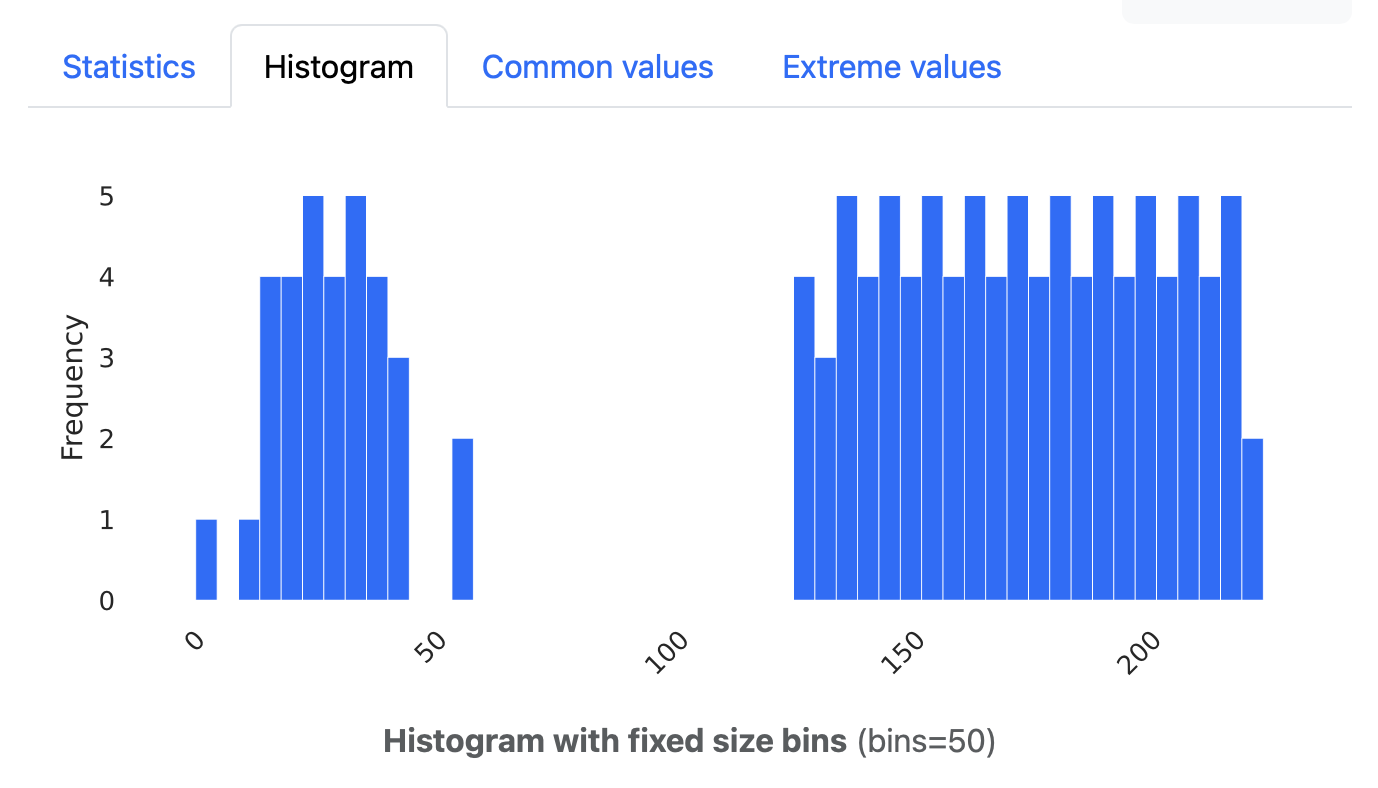
Diagram of heights of Olympic athletes. There's a big gap between short and tall athletes.

Profiling data with ydata in PySpark

When you got a dataset to explore, there are several ways to do that in PySpark. You can do a describe or a summary. But if you want something a little more advanced, and if you want to get a bit of a view of what is in there, you might want to go data profiling.

Older documentation might point you to Pandas profiling, but this functionality is now part of the Python package ydata-profiling (which is imported as ydata_profiling).

I’ve been following this blog on starting with ydata-profiling:

https://www.databricks.com/blog/2023/04/03/pandas-profiling-now-supports-apache-spark.html

Getting ydata-profiling to work is not exactly a walk in the park. You’d think you can just feed it your messy dataset and it will show you what the data is like. But I encountered some problems:

  • I got errors about missing Python packages in some situations.
  • ydata doesn’t seem to like dataframes with only string columns.
(more…)
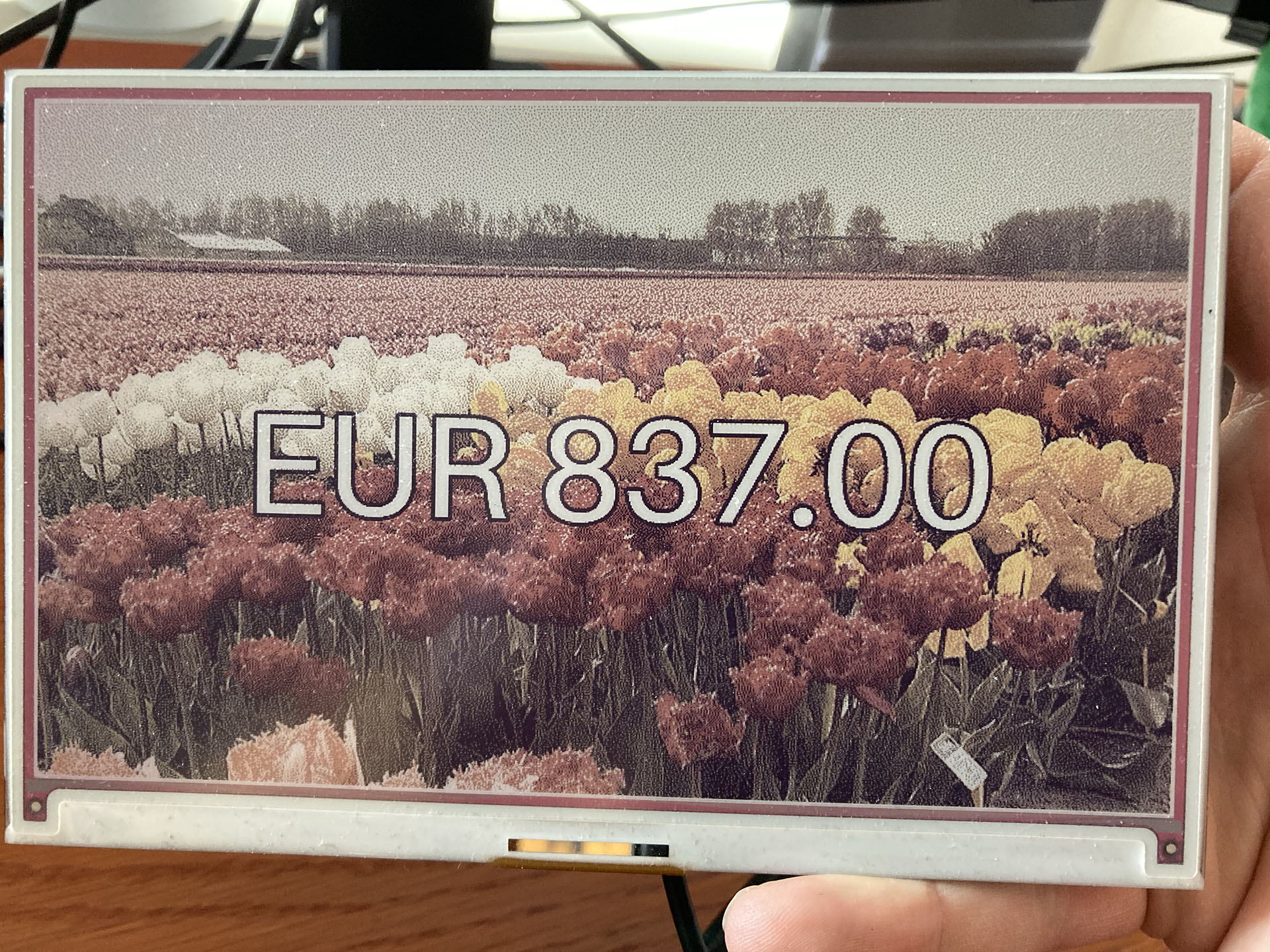
An e-ink display showing an amount of 837 euros with a field of tulips as background.

Showing a gift total on a Raspberry Pi with an e-ink display – how hard could it be?

TL;DR:

These Python and Raspberry Pi projects. They are fun aren’t they? And often they look deceptively simple. But you don’t see all the projects that failed and usually not where they struggled. This project got stuck (and almost failed) at:

  • Not being able to scrape dynamic website content.
  • When I found out how to do that, I couldn’t run my working Python code on the Raspberry Pi.
  • That turned out to be because the scraping packages use a chromium browser, but not for the ARM processor that the Raspberry Pi has.
  • And to top it all off, the Python package for the Inky Impression e-ink display had some kind of problem running numpy.
(more…)

A Strava dashboard on a Raspberry Pi (Part 3): The Strava API

This is part 3 of a series of blogposts on how I created a Strava dashboard on a Inky Impression e-ink display with a Raspberry Pi.

OAuth2

This was the part that I expected to be the hard part: getting my data from Strava. Or, to be more precise: getting the connection right so the Strava API would allow me to get that data. Because it requires authentication via the OAuth2 protocol and I’ve tried a similar thing a few years back with a Google API and I just didn’t get it. But now I do.

Strava API documentation

It requires a whole “dance” between your computer code and the Strava API where you exchange all kinds of tokens back and forth. Strava’s Getting Started with the Strava API document explains it quite well. And this blogpost by Graziano Fuccio helped me a lot with the Python code: http://www.grace-dev.com/python-apis/strava-api/.

Frustratingly I still didn’t get it to work though. The reason I found out, is because the URL of the authentication has changed. From https://www.strava.com/oauth/token it became  https://www.strava.com/api/v3/oauth/token. I found this elsewhere in the Stava API documentation, where the correct URL was shown. I’ve told Strava that their Getting Started documentation is outdated. They asked me to create a ticket and I’ve done so, but I don’t think they changed their document yet. But Graziano Fuccio did though.

(more…)

A Strava dashboard on a Raspberry Pi (Part 2): Installing software

In last blogpost we set up the Raspberry Pi, attached the Inky Impression display and got the Raspberry Pi ready for remote access.

Time to get the Inky Impression software installed and make the Inky Impression screen display something.

Your SSH connection of choice

For this we’re going to have to run some commands via remote SSH. There are multiple ways to log in remotely. You can use a tool like Putty or the terminal on MacOS (I like iTerm2). That’s actually simpler.

But I chose to use Visual Studio Code because you can edit Python code remotely via SSH straight on the Raspberry Pi.

To do this you must install Visual Studio Code. Visual Studio Code has all kinds of extensions. Here we will install the Remote – SSH extension. And while you’re at it, maybe install the Python extension as well, because we will be writing some Python later.

Installing the Remote-SSH extension in Visual Studio Code
(more…)